Why Your Business Needs a 411 Directory Listing
Getting your business on the 411 directory is one of the easiest free ways to improve your local visibility. If a potential customer picks up the phone and dials 411 to find your type of business, you want to be the name they hear. It is that simple.
The 411 directory is a telephone-based business lookup service that has been connecting customers with local businesses for decades. When someone dials 411 from any phone, they reach a directory assistance operator who can provide your business name, phone number, and address. While online search engines dominate today, millions of people still rely on 411 directory assistance every year — especially older customers, people in rural areas with limited internet access, and anyone who finds it faster to make a quick phone call.
Being listed on the 411 directory offers three key advantages for your business. First, it increases your local visibility by making your business findable through traditional phone-based search. Second, it builds credibility with lenders and credit agencies, since a verifiable 411 listing is one of the signals they use to confirm a business is legitimate. Third, it is completely free through services like ListYourself.net, making it one of the highest-value, lowest-cost marketing steps you can take today.
In this guide, we will walk you through the entire process of registering your business with 411 directory assistance, step by step.
Before you can register with 411, you need a dedicated business phone number that is separate from your personal cell phone or home line. This is critical. Lenders, credit bureaus, and directory services all look for a distinct business phone number as a sign that your company is a real, established operation.
If you already have a business landline registered through your local phone company, your number may already be listed in your carrier’s 411 database automatically. To check, simply dial 411 from any phone and ask the operator for your business by name. If they can find you, you are already listed. If not, you will need to take action.
For businesses that use Voice over Internet Protocol (VoIP), a cell phone, or a virtual phone system, your number is almost certainly not listed in 411 by default. VoIP and cellular carriers do not automatically submit numbers to directory assistance databases. That means you will need to add your number manually, which is exactly what Step 2 covers.
The fastest and most reliable free way to get your business on 411 is through ListYourself.net. This service submits your business information to the directory assistance databases used by all major carriers across the country. Here is how to do it:
Navigate to ListYourself.net
Open your web browser and go to ListYourself.net. You will see a clean, straightforward form asking for your business details. The entire registration process takes less than five minutes. No account creation is required.
Fill Out Your Business Information
You will need to provide the following details. Make sure every field is accurate and matches your official business records exactly:
- Business Name — Use your full legal business name as it appears on your LLC or incorporation documents. Consistency matters because lenders and credit bureaus cross-reference this information.
- Business Phone Number — Enter your dedicated business phone number. This should be a VoIP number, local landline, or toll-free number. Do not use your personal cell phone.
- Business Address — Enter your physical business address. If you operate from a home office, you can use a registered business address or virtual office address. Avoid using a P.O. Box, as many directories will not accept them.
- City, State, and ZIP Code — Double-check these fields. Incorrect location data can prevent customers in your area from finding you.
- Business Category — Select the category that best describes your industry. If you offer multiple services, choose the primary one that most customers would search for.
Take a moment to review all your entries before moving to the next step. Errors at this stage can delay your listing or cause your verification to fail.
After submitting your business details, ListYourself.net will need to verify that you are the owner of the phone number you provided. This verification step is what ensures only legitimate businesses get listed.
Automated Phone Verification
The most common method is an automated verification call. The system will dial your business phone number and either provide a verification code that you enter on the website or ask you to press a key to confirm. Make sure you are near your business phone and ready to answer when the call comes in. The call usually arrives within a few minutes.
Tips for Successful Verification
- Disable any call screening, spam blocking, or voicemail features that might intercept the verification call.
- If you use a VoIP system with an auto-attendant, make sure the call can reach a live extension or direct line.
- If the first attempt fails, wait a few minutes and try again. The system allows multiple attempts.
- Ensure your phone is on and has signal or internet connectivity (for VoIP lines) before requesting the verification call.
Once verified, your listing enters the distribution pipeline and begins propagating to the major 411 databases across the country.
While 411 directory assistance is valuable on its own, the real power comes from being consistently listed across multiple directories. After your 411 listing is confirmed, take these additional steps to maximize your visibility:
Claim Your Google Business Profile
If you have not already done so, go to business.google.com and claim or create your Google Business Profile. This is how your business appears in Google Search and Google Maps. Include your business name, address, phone number, website, hours, photos, and a detailed description. Make sure the information matches what you submitted to 411 exactly. Consistency across directories is one of the most important factors in local SEO.
Register on Additional Directory Sites
Beyond Google and 411, you should also list your business on the following platforms to build a consistent digital footprint:
- YellowPages.com (YP.com) — The online version of the traditional Yellow Pages.
- Yelp.com — One of the most trusted review platforms for local businesses.
- Bing Places for Business — Powers search results on Bing and Microsoft products.
- Facebook Business Page — Allows customers to find, review, and contact you directly.
- Better Business Bureau (BBB.org) — Adds credibility and trust, especially for service businesses.
Getting listed is just the beginning. To get the most value from your 411 and online directory listings, you need to keep them accurate and up to date:
- Verify your listing by dialing 411 and asking for your business by name. Do this from different area codes if your customers come from multiple regions.
- You can also verify by calling your area code followed by 555-1212 (for example, 919-555-1212 for the Raleigh-Durham area) and requesting your business listing.
- Update your listing immediately whenever your phone number, address, business hours, or services change. Outdated information frustrates customers and damages credibility.
- Check your listing quarterly to make sure no errors have been introduced. Directory databases are updated regularly, and occasional errors do occur.
- Monitor all your online directory listings at the same time. Inconsistent information across platforms can hurt your local search rankings.
A well-maintained 411 listing, combined with consistent online directory presence, sends a strong signal to both customers and lenders that your business is legitimate, established, and easy to reach.
Why a 411 Listing Matters for Business Credit
If you are building business credit, a 411 listing is not optional — it is one of the foundational steps that lenders and credit issuers look for when evaluating your company. When a bank, vendor, or credit bureau wants to verify that your business is real, one of the first things they do is check whether your business phone number is listed in 411 directory assistance.
A missing 411 listing can flag your business as a higher risk, potentially leading to denied credit applications or lower approval amounts. On the other hand, having a verifiable listing confirms your business identity and builds the kind of credibility that opens doors to better funding opportunities.
This is especially important for businesses that use VoIP or virtual phone systems, because those numbers are not automatically added to 411. You must take the proactive step of registering through a service like ListYourself.net to make sure your business shows up when it matters most.
Frequently Asked Questions
How long does it take to appear on 411?
After submitting and verifying your information through ListYourself.net, your listing typically begins appearing in 411 databases within a few days to a few weeks. The exact timeframe depends on how quickly each carrier updates their directory. For the fastest results, make sure your verification is completed on the first attempt.
Is it free to list on 411?
Yes. Using ListYourself.net, you can submit your business to 411 directory assistance databases at no cost. Some carriers and third-party listing services do charge fees for premium placement, but the basic directory assistance listing is free. If you register a traditional business landline through your local phone company, your listing is also typically included at no additional charge.
Can I edit my listing after submission?
Yes. You can return to ListYourself.net at any time to update your business information. If your phone number, address, or business name changes, update your listing immediately. You may need to go through the phone verification process again when making changes.
How do customers reach me from 411?
When a customer dials 411, they are connected with a directory assistance operator. They can ask for your business by name or by category (for example, “IT services in Henderson, North Carolina”). The operator will provide your phone number, and many services offer to connect the call directly.
Do I need a landline to be listed on 411?
No. While traditional business landlines are automatically listed by phone companies, you can now register VoIP numbers, virtual phone numbers, and even certain mobile numbers through services like ListYourself.net. This is a major advantage for modern businesses that rely on VoIP phone systems.
Get Started Today
Registering your business with the 411 directory is a quick, free, and high-impact step that every business owner should take. It improves your local visibility, strengthens your business credit profile, and makes it easier for customers to find and contact you.
The entire process takes less than ten minutes. Start by visiting ListYourself.net to submit your business information, verify your phone number, and get your listing distributed to 411 databases nationwide.
Need a Professional Business Phone System?
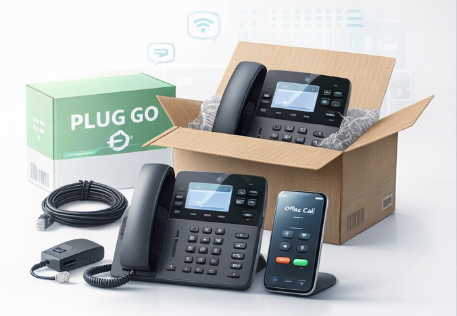
TurnCom360 provides Plug & Go VoIP phone systems that ship pre-programmed and ready to use. Get a dedicated business phone number, professional auto-attendant, and 411-ready service — all in one package.
Explore Plug & Go Phones →Or call (919) 390-2099 • Toll-free (888) 596-2060