
Plan the routes
Identify network closets, building links, desk locations and device connection points before installation.

Infrastructure & Security
Fiber and data cabling, Fanvil access-control products and Turncom360 proprietary camera systems, planned together around your location.
Your network starts with the physical connections between rooms, equipment and buildings. We plan fiber links for the backbone of the network and structured data cabling for the devices people use every day: computers, Wi-Fi access points, VoIP phones, cameras and door-entry equipment.
The right layout depends on distance, building construction, cable routes and the equipment at each end. We review where connections are needed, how the network will be powered and where future capacity may be useful. The goal is an organized installation that can be supported and expanded.
Identify network closets, building links, desk locations and device connection points before installation.
Make cable runs and connection points easy to identify. Review the installed connections and document the layout for ongoing support.
We use the Fanvil product line for door communication and access-control projects. SIP door phones and intercoms let a visitor contact staff at an entrance, so your team can speak with the person before allowing access. Video and remote door-release functions depend on the selected equipment and configuration.
We plan the entry points, who should answer, how authorized users enter, and how the system connects to your phone and network setup. Depending on the model, access methods may include a card, keypad, indoor switch or a configured release command from an authorized station.
Choose the appropriate Fanvil door phone or intercom for the entrance and the way visitors arrive.
Route entry calls to the appropriate staff and define who can operate the door release.
Choose the call point to fit the entrance, then connect it to a clear answering and access-control workflow.

Give visitors a clear place to call from the entrance. The i64 brings a 2-megapixel camera, illuminated keypad and call button into an aluminum door station. SIP and ONVIF support help connect the device with compatible communications and security systems.
Its IP66 weather protection and IK07 impact rating make it an option to review for exposed entrances. We check the mounting location, door hardware, network and answering destination before specifying the installation.

A compact call point for indoor reception areas, service counters and staff entrances. The family offers single-button and two-button options; choose the i10SV when the planned connection needs video.
These wall-mounted SIP intercoms support Power over Ethernet. We select the model around who needs to call, who should answer and whether audio or video is required.
Review indoor or outdoor exposure, mounting, cabling, power, lock hardware and the required access method.
Agree which staff or endpoint should answer, how visitors are handled after hours and whether video is needed.
Door release and access functions depend on the selected model, connected hardware and configuration. We test the complete entrance workflow before handoff.
Discuss my entrancesThe A513W combines video monitoring, announcements and two-way intercom in one device. Turncom360 helps plan where it belongs, who can use it and how it connects to your existing systems.

Use the integrated 10-watt speaker for announcements and configured voice warnings.
A 4-megapixel camera provides live video for an authorized operator using a compatible system.
Two-way intercom lets staff talk with people near the device from the configured receiving system.
Human detection can trigger configured light and voice warnings. We agree the response workflow and test it with your team.
PoE+ and Wi-Fi 6 provide connection options. We review power, network coverage, camera position, sound coverage and access permissions before installation. Fanvil specifies IP66 protection for outdoor use; the mounting location and connected systems are confirmed for your project.
The A513W is a Fanvil communication and monitoring option alongside our proprietary Turncom360 camera systems.
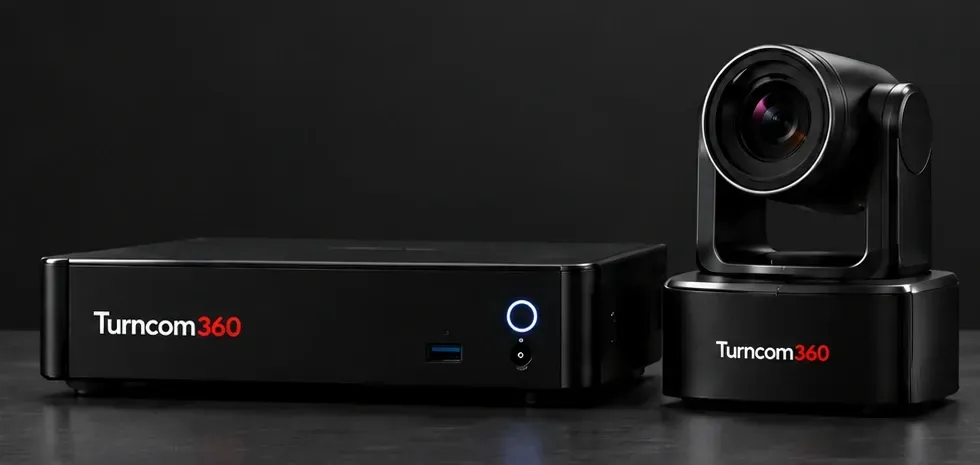
Turncom360 uses its proprietary camera systems for surveillance projects. We start with the areas you need to see—entrances, work areas, parking, delivery points or other agreed locations—and plan camera placement around coverage, lighting and the building layout.
Recording, storage, playback and viewing permissions are part of the design. We discuss how long footage needs to be retained, who needs access and how the system will be supported. The camera layout and equipment are selected for the project rather than assuming one package fits every building.
Review sightlines and lighting so the planned views address the areas that matter to your organization.
Show designated staff how to view cameras and find recordings, with clear access and support arrangements.
Phones, access control, cameras and wireless access all rely on the network. Reviewing them together helps identify shared cabling, power and connection needs before work begins.
Proprietary software. Simple meeting controls. Turncom360’s proprietary meeting-control software puts the room’s everyday operation behind simple buttons. Start the meeting with one press. Go live with another. Your staff can run the agreed meeting workflow without a dedicated production director.
See one-touch AV meeting control
Bring the microphones, cameras, displays and meeting controls together as one working system. We plan new rooms and upgrades for council chambers, meeting spaces and other organizations that need people to hear, see, present and participate clearly.
Coordinate microphones, speakers, cameras, presentation inputs, displays, recording and livestreaming. We review room layout, existing equipment, network connections and the people who will operate the system.
Configure useful room views and clear operating steps. Recording and public broadcasting remain separate actions, so staff can choose when each begins and ends.
The council-chamber operator guide covers microphones, council and presentation views, local recording, livestreaming and shutdown. It shows the kind of operating workflow that turns AV equipment into a system staff can use.
Yes. We review the cabling, network capacity, power and access requirements together so compatible equipment can work as one planned installation.
We confirm the location, existing infrastructure and installation requirements before recommending cabling, cameras or access-control equipment. On-site availability is confirmed for your address.
Tell us what you need. We’ll help you choose the next step.

Practical AI. Reliable technology. Business phones, managed IT and websites from one technology partner.


Local Office: (919) 390-2099
Toll free: (888) 596-2060
Email: contact@turncom360.com
100 South Garnett St Henderson, NC 27536
Built By Turncom360 Copyright © 2007-2026