
Replace an older phone system
Move from an aging office phone system to a supported business calling setup. Review existing wiring and equipment, number transfers, departments and the features your staff relies on.

Business Phones
Explore desk phones, office integrations and equipment options. Need a single business line or a system shipped ready to connect? Start with Business Phones.
Your phone service should match the way your business works today. We review the equipment, numbers, users and call handling you already have, then plan a new installation or an upgrade around your priorities.
Move from an aging office phone system to a supported business calling setup. Review existing wiring and equipment, number transfers, departments and the features your staff relies on.
Address call routing, team growth, remote users or a system that is difficult to manage. We review what can be retained and what needs to change before recommending equipment or service.
We map numbers and call flows, check network readiness, configure and test the agreed setup, coordinate the transfer and cutover, and show your staff how to use it. Timing and any service interruption are discussed before the change.
Calling options include mobile and desktop apps, auto-attendants, voicemail, recording, team messaging, eFax and CRM connections. Your representative confirms the features and integrations included in your setup.
Discuss My Current Phone System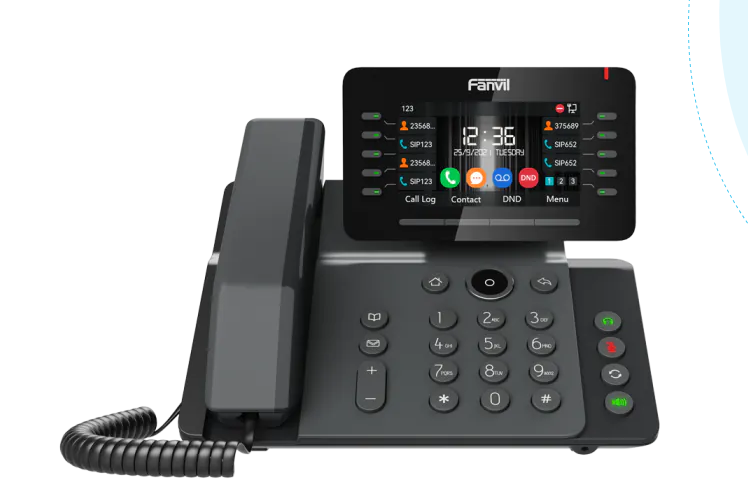
The Fanvil V65 is our featured VoIP desk phone. Its adjustable 4.3-inch color screen, HD audio, built-in dual-band Wi-Fi and Bluetooth give staff a practical phone for everyday business calls.
Programmable keys can put frequently used contacts and functions within easy reach. We configure the phone around your extensions and calling workflow, then review how your team will use it.
Keep your business number and customer calls separate from your personal cell. Plan number transfers as part of setup.
Define the main greeting, extensions, groups, voicemail and what happens when staff are unavailable.
Review Wi-Fi, wired network and power options before choosing the desk-phone installation.
Your customer support, downloads, billing and admin links remain in one place.
Customer SupportThe store contains current product and subscription options. Use the configurator for a team setup, or speak with us when your calling workflow needs a closer look.
For Telehealth, a Fanvil phone can be programmed with a clearly labeled button that calls the patient’s designated doctor or care team. It is a separate setup planned with the provider and the patient’s connection needs.
Explore TelehealthComplete the system intake so we can collect the information needed for configuration and number transfer planning.
Position the 4.3-inch screen for a comfortable view of calling information and available functions.
A phone designed for clear business conversations. Overall call quality also depends on the network and calling service.
Review wireless network and accessory requirements with us before choosing how each desk will connect.
Put agreed contacts or calling functions within reach, configured around the person using the phone.
The device and calling service are separate parts of the setup. Check the selected store item and plan details, or use the configurator to discuss the complete system.
We will need the number of users, extension names, desired call routing, voicemail arrangements, installation location and any numbers you want to transfer. The system intake collects the details after ordering.

Bring desk calling and compatible desktop or mobile apps into the same communications plan. Fanvil supports 3CX integration for supported phone models, including the V65 in its published compatibility list.
We review the phone model, firmware, platform version and required calling features before configuration. Tell us whether you already use 3CX or need help choosing your business phone setup.

Keep a handset with you while working across a warehouse, retail floor, office or care facility. The W626W uses dual-band Wi-Fi 6 and supports roaming between appropriately configured wireless access points.
Fanvil specifies IP67 protection and 1.8-meter drop resistance. Dedicated push-to-talk and SOS buttons provide options for a configured team workflow. We check wireless coverage, charging arrangements, call routing and who should receive alerts before rollout.

Connect existing telephone equipment or lines to an IP phone system when a gateway fits the project. The right choice depends on what is connected at each end.
Connect traditional analog phones or compatible fax equipment to a SIP network.
Use the FXO models when the connection requires analog telephone lines.
The GA200 family provides E1/T1 interfaces for connecting digital telephone infrastructure with an IP PBX.
We review line type, port count, existing equipment and service compatibility before selecting a model.

Give reception or authorized staff a dedicated place to answer compatible door-intercom calls. The i564W combines a 7-inch touchscreen, hands-free audio and a physical volume knob in a wall-mounted indoor station.
Wi-Fi 6 and PoE offer installation options. Video intercom and configured access-control functions connect the indoor answering point with compatible entry equipment. We confirm the door hardware, call destination and permissions before enabling door release.
Explore Fanvil door-entry equipment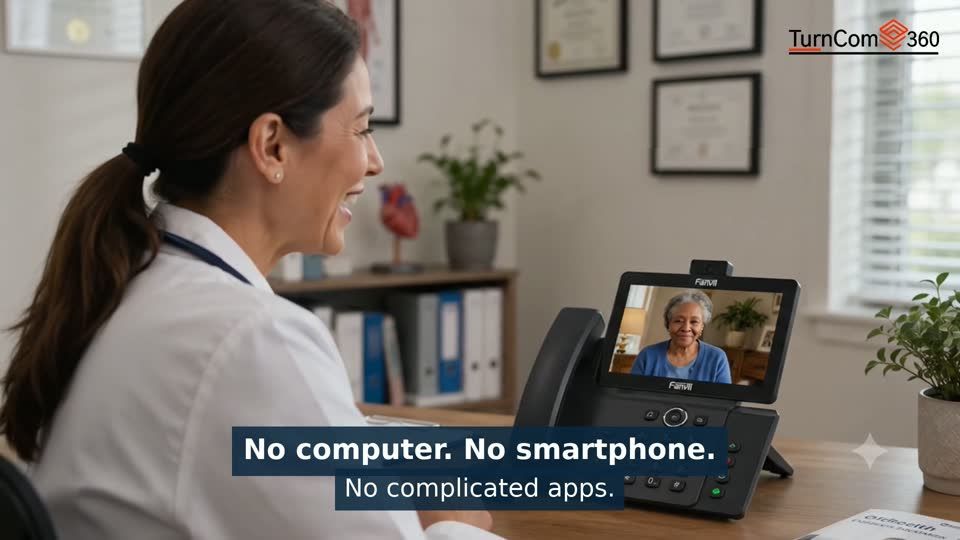
Our one-button Telehealth configuration is designed around the patient and the participating provider. It has its own equipment and answering workflow, while the V65 above is the featured business desk phone.
See one-button TelehealthUse our Business Phones page for a single business line or a preconfigured system shipped to your office. This page covers equipment choices and more involved office integrations.
We review the model, wiring and service compatibility first. Existing equipment is not automatically compatible; we confirm what can be retained and what needs to change.
Tell us what you need. We’ll help you choose the next step.

Practical AI. Reliable technology. Business phones, managed IT and websites from one technology partner.


Local Office: (919) 390-2099
Toll free: (888) 596-2060
Email: contact@turncom360.com
100 South Garnett St Henderson, NC 27536
Built By Turncom360 Copyright © 2007-2026